

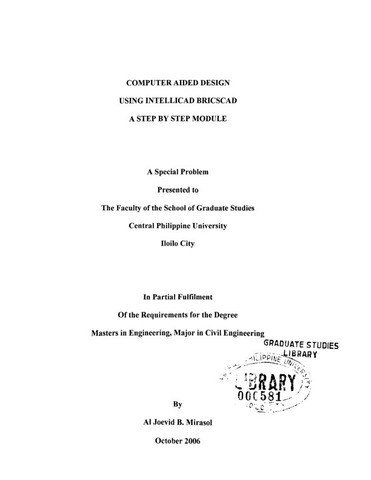
Computer aided design using IntelliCAD BricsCAD: A step by step module

Abstract
1.1 What Is Computer Aided Design?
Computer Aided Design (CAD) is the use of a wide range of computer-based tools that assist engineers, architects and other design professionals in their design activities. Current CAD packages range from 2D vector based drafting systems to 3D solid and surface modellers.
CAD is sometimes translated as "computer-assisted", "computer-aided drafting", or a similar phrase. Related acronyms are CADD, which stands for "computer-aided design and drafting", CAID for Computer-aided Industrial Design and CAAD, for "computer-aided architectural design". All these terms are essentially synonymous, but there are some subtle differences in meaning and application.
1.2 Why Study Computer Aided Design?
Computers make our task easier by doing the complicated and repetitive tasks. So why not use CAD to make drafting easier. Today more and more Architecture and Engineering design companies are shifting from manual drafting to CAD. Some companies (both local and abroad) even make “Proficiency in CAD” a requirement for employment.
The use of CAD not only makes your drawing look better but it also makes editing a lot easier and faster. It will also allow you to reuse information on your drawings. It also allows you to draw in real world scale and then resize your drawing to the desired scale for printing.
1.3 Which CAD software should I use?
When choosing any software one will always ask what is the industry standard, and in the world of Computer Aided Design that is “Autodesk AutoCAD”. However due to the cost of this program we are forced to find alternatives, this is where IntelliCAD came in. It is compatible with the industry standard and at a price that will allow you to install it in every desktop of every CAD user in your organization.
However there are lots of IntelliCAD variants available in the market. So another question popped out “Which IntelliCAD variant should we use?” Luckily you can download trial versions of any IntelliCAD variant from the internet for evaluation purposes. Upon comparison, we chose IntelliCAD BricsCAD because of its startling resemblance to AutoCAD’s interface and its intensive Hatch and Linetype libraries.
Also IntelliCAD BricsCAD supports hundreds of AutoCAD commands, you use the commands you already know. When you press Enter or the spacebar, you activate the command just like in AutoCAD. It also accepts the special characters used by AutoCAD, such as point filters (for example, .xy), relative coordinates (the @ symbol), and the apostrophe (the ' prefix) for transparent commands. IntelliCAD function keys are also similar to those used in AutoCAD.
Similarity of the commands and the apparent similarities in the AutoCAD and BricsCAD made it more appealing to users who wish to migrate to AutoCAD later.
1.4 Minimum Requirements in Learning CAD
Student in Computer Aided Design should have a background in Manual drafting/drawing and a working knowledge in the use of the computer and Microsoft windows. Background in Algebra, trigonometry, and Analytic and Solid Geometry is also recommended.
1.5 Overview of the Module
This Module is intended to teach the students the basics of Computer Aided Design. Though this module was tailor made for IntelliCAD BricsCAD, much of the methods used in the module is common to both AutoCAD and IntelliCAD BricsCAD.
Every module has a required output (drawing plate) that should be submitted to the instructor for checking and evaluation. Upon completion of each module, the student by then have already used and familiarized themselves with between 3 to 6 Computer Aided Design (CAD) commands. These commands would then be reviewed or reused in the succeeding module together with another 3 to 6 new commands. This way upon completion of the all modules the student would by then could be considered an Intermediate CAD user.
Description
Introduction
Suggested Citation
Mirasol, A. J. B. (2006). Computer aided design using IntelliCAD BricsCAD: A step by step module (Unpublished Master’s special paper). Central Philippine University, Jaro, Iloilo City.
Type
Special paperSubject(s)

Keywords
Department
School of Graduate StudiesDegree
Master of Engineering major in Civil EngineeringShelf Location
GSL Theses 620.0072 M673
Physical Description
51 leaves